Intermediate Linux 201 - CENTOS5
So I’m a pretty technical guy and sometimes I know what I want to do, but I have no idea how to do it with the latest version of whatever operating system I’m using. Typically these days thats usually a Linux flavor of some sort. I use it for my web-server, my file server and a few other things, but typically I set it up leave it and don’t touch it for a year or so. So instead of having to troll through man pages every time I want to do something, I started to keep a list of not-frequently used commands that I always seem to forget. So this is sort of an anti-FAQ for Linux. I mean if they were frequent, i wouldn’t forget!
Scan for viruses manually with clamscan - Most of this is excluding the test directories and system devices.
clamscan -ir —exclude=/sys/ —exclude=/usr/share/doc/clamav-0.95.1/test/ /
**Firewall aka. IPTables
**Block IP address - * for a range
iptables -I INPUT -s 192.168.0.* -j DROP
List IP’s instead of RDNS
iptables —list -n
Delete the 3rd rule
iptables -D INPUT 3
Remove file with crazy name - Ever mange to munge a filename so bad rm won’t remove it?
ls -il
find . -inum 124043383 -exec rm -i {} ;
Hard disk tweaking - not sure how much this helps but it helped me.
cd /sys/block/sda/queue/iosched/
echo 1000 > write_expire
echo 0 > slice_idle
hdparm -Tt /dev/sda
SMART Hard Disk Check- run smart report if you have a Highpoint controller that supports it. Remember torun a periodic short/long test. I’ve found the basic report is often inadequate.
smartctl -a -d hpt,1/1 /dev/sda
Yum locate dependency- some package failing because it needs some dependency? This was a real lifesaver.
yum whatprovides yourlibraryhere
Did something before but forgot?grep the .bash_history file, it seems to keep everything from the beginning of time.
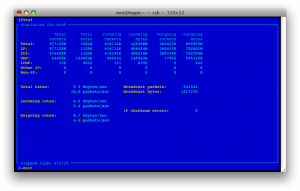
iptraf traffic statistics- need to know traffic flow on your machine right now? Yeah you could do some sort of netstat command but I can never figure it out on the local platform (its “netstat -I en0 -w 1” on OS X).
This app will give you all sorts of useful live statstics on your ethernet connections.
Next time - SELinux - all you need to know to setup your apache/php/centos webserver.
P.S. Any useful commands you use that you think might be helpful? Leave a comment :)